Sí… con algunas condiciones. La FMCSA permite explícitamente los DVIR electrónicos en virtud del artículo 49 CFR 390.31, que regula el uso de documentos y firmas electrónicos en sustitución de los registros en papel. Para que un eDVIR cumpla con los requisitos del Departamento de Transporte (DOT), debe:
Las firmas electrónicas, según las normas de la FMCSA, no requieren una firma manuscrita ni una tecnología específica; lo que sí exigen es que se pueda confirmar la identidad de la persona que firma y que el registro no pueda modificarse tras la firma sin que se detecte. La mayoría plataformas eDVIR que cumplen con los requisitos utilice la autenticación mediante PIN o biométrica y el bloqueo con marca de tiempo para cumplir con este requisito.
Índice
La normativa sobre dispositivos de registro electrónico (ELD) no exigía la adopción del eDVIR, pero sí la aceleró. Muchos Dispositivos con certificación ELD incluyen la funcionalidad eDVIR integrada y, para las empresas de transporte que ya habían implementado los ELD, la incorporación de eDVIR a menudo no requirió hardware adicional. La integración del flujo de trabajo tenía sentido: si los conductores ya completan sus registros de horas de servicio (HOS) en un dispositivo, completar su DVIR en el mismo dispositivo es una extensión natural.
| Característica | Informe de inspección de vehículos en papel | Informe electrónico de inspección y reparación (eDVIR) |
|---|---|---|
| Método de finalización | Escrito a mano en un formulario impreso | Aplicación móvil o dispositivo para la cabina |
| Tiempo de finalización | 5–15 min (rellenar formularios) | 3–8 min (lista de verificación guiada) |
| Legibilidad | Variable (a menudo deficiente) | Siempre legible |
| Campos que faltan | Común (no detectado hasta la revisión) | Bloqueado por la validación de la aplicación |
| Notificación de defectos | Entrega manual al despachador/mecánico | Alerta automática instantánea |
| Documentación fotográfica | Poco frecuente (añade tiempo y complicaciones) | Integrado y vinculado al registro de defectos |
| Captura de firma | Firma manuscrita en papel | Firma electrónica con marca de tiempo |
| Recuperación de auditorías | Búsqueda manual en carpetas | Buscar por fecha, conductor o vehículo |
| Cumplimiento de los requisitos de conservación | Riesgo de pérdida, daño o archivo erróneo | Almacenamiento automático en la nube |
| Seguimiento de incidencias abiertas | Se requiere un seguimiento manual | El sistema realiza un seguimiento hasta el cierre |
| Integración con el mantenimiento | Ninguno sin introducción manual de datos | Generación directa de órdenes de trabajo |
| Responsabilidad del conductor | La marca de tiempo no es fiable | GPS + marca de tiempo + ID del dispositivo registrados |
| Costo por formulario | Papel + impresión + trabajo de archivo | Cuota mensual por el uso de la plataforma, sin coste por informe |
| Integración con el mantenimiento | Ninguno sin introducción manual de datos | Generación directa de órdenes de trabajo |
La diferencia en los resultados es evidente. Para las flotas que dejan de usar los informes en papel, la ventaja más inmediata es la visibilidad de las averías. Los despachadores y los coordinadores de mantenimiento se enteran de un problema con los frenos en el momento en que el conductor lo registra, en lugar de cuando el portapapeles llega a la oficina.
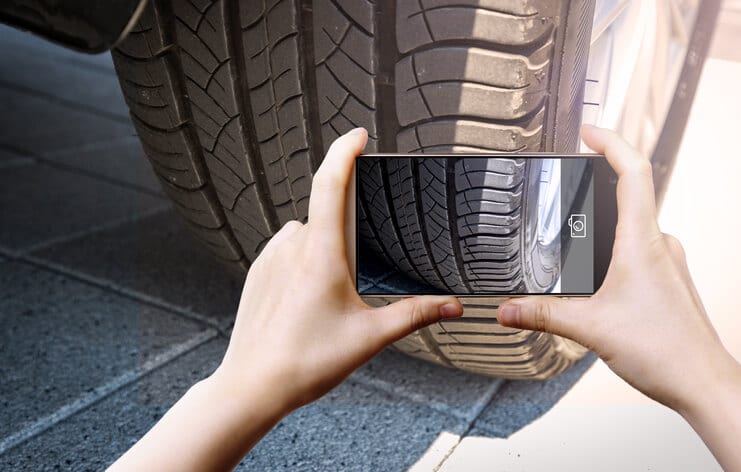
“Pasarse al formato digital” suena como una iniciativa de TI. Sin embargo, los beneficios reales son de carácter operativo y financiero.
En una flota con 50 conductores que completan dos informes DVIR al día, eso supone 100 inspecciones diarias. Si el procesamiento en papel (es decir, completar, revisar, archivar y recuperar) añade solo 3 minutos por informe en comparación con el formato digital, eso supone 5 horas de trabajo al día, o aproximadamente 1.800 horas al año. Y eso sin contar el tiempo dedicado a buscar registros durante las auditorías.
eDVIR reduce los gastos administrativos en cada etapa: cumplimentación por parte del conductor, revisión del despacho, seguimiento del mantenimiento y respuesta a las auditorías.
Los DVIR en papel solo son tan fiables como la memoria y la motivación del conductor en ese momento. Los DVIR electrónicos garantizan que se rellenen todos los campos; la aplicación no permite que el conductor envíe el formulario hasta que se hayan completado todos los campos obligatorios. Esto elimina la infracción más común relacionada con los DVIR: los formularios incompletos.
Las listas de verificación guiadas también ayudan a los conductores que podrían pasar por alto algunos componentes en un formulario en papel. Cuando la aplicación te guía paso a paso por los frenos, la dirección, las luces, los neumáticos y los dispositivos de acoplamiento, no te saltas nada.
Durante una auditoría de cumplimiento del Departamento de Transporte (DOT) o una inspección en carretera, un agente puede solicitar los DVIR de los últimos tres meses. Con los registros en papel, eso implica buscar en archivadores o cajas, siempre y cuando no se haya perdido, archivado incorrectamente o dañado ningún documento. Con el eDVIR, basta con buscar por fecha y número de vehículo, y el sistema muestra los resultados en cuestión de segundos.
El formato estructurado y uniforme de los informes electrónicos también facilita la demostración de los patrones de cumplimiento. Todos los informes tienen el mismo aspecto. Todas las firmas son verificables. Cada marca de tiempo está vinculada a un dispositivo y a una ubicación.
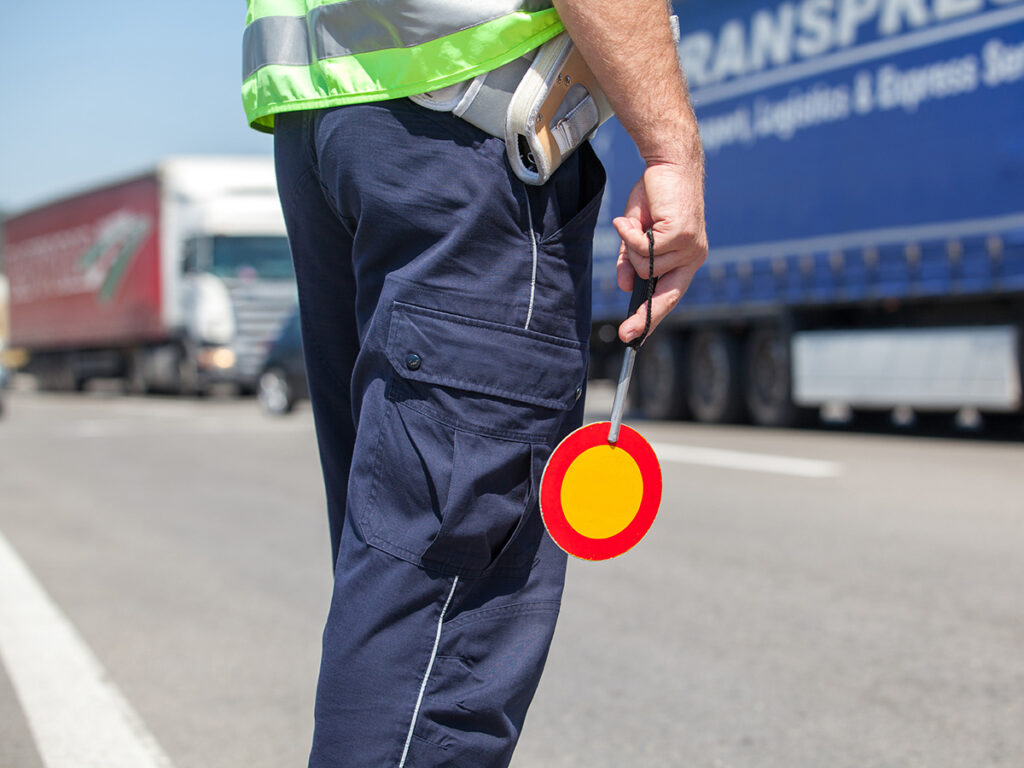
Esta es una de las funciones más subestimadas de los sistemas eDVIR. Cuando un conductor detecta un espejo agrietado, un neumático desgastado o un acoplamiento dañado, puede fotografiarlo en el acto y adjuntar la imagen directamente al registro del defecto. Esa foto pasa a formar parte del expediente legal.
Esto protege tanto al conductor como a la empresa de transporte. Si surge una disputa sobre cuándo se produjo el daño, la foto con marca de tiempo sirve como prueba. Si un mecánico certifica una reparación, la documentación del antes y el después queda registrada en el sistema. Esto resulta especialmente valioso para las flotas que trabajan con conductores autónomos o vehículos compartidos.
La falla más peligrosa en cualquier proceso de DVIR es el defecto pendiente, es decir, un problema que se ha notificado pero que nunca se ha certificado como reparado. Según las normas de la FMCSA, un vehículo con un defecto notificado y sin resolver no puede volver a entrar en servicio hasta que un mecánico lo repare o certifique que no afecta a la seguridad de su funcionamiento.
En teoría, el seguimiento de los defectos pendientes es un proceso manual. En un sistema eDVIR, cada defecto permanece marcado hasta que se registra la certificación del mecánico. En cualquier momento puedes generar un informe que muestre todos los defectos pendientes de tu flota. Esto es gestión del cumplimiento normativo, no solo documentación.
Un DVIR no es una isla. El informe de inspección resulta más valioso cuando se integra directamente en los sistemas que pueden actuar en función de la información.
Para las empresas de transporte que utilizan dispositivos electrónicos de registro (ELD) para cumplir con las normas de horas de servicio (HOS), la integración de eDVIR en la misma plataforma permite un flujo de trabajo fluido al final del día. El conductor completa su informe de inspección visual diaria (DVIR) en la misma aplicación que utiliza para registrar las horas de servicio. Los registros se asocian al mismo vehículo y al mismo perfil de conductor, lo que facilita la verificación cruzada tanto para revisiones internas como para auditorías externas.
Algunas plataformas de dispositivos de registro electrónico (ELD) también cruzan los datos de los informes de inspección de vehículos (DVIR) con los registros de viaje. Si se detecta movimiento en un vehículo después de que se haya registrado un defecto, pero antes de que se haya certificado la reparación, esto genera automáticamente una alerta de incumplimiento.
Integración entre eDVIR y plataformas de gestión de flotas añade contexto a los registros de inspección. Los defectos se pueden asociar automáticamente a la ubicación del vehículo mediante GPS y a la lectura del odómetro. Los intervalos de mantenimiento se pueden registrar en función del kilometraje real, en lugar de estimaciones. Un defecto en los frenos reportado a los 187 000 km se registra en el historial de mantenimiento real del vehículo, no en una cifra introducida manualmente.
Para los administradores de flotas, esta integración ofrece una visión global del estado de los vehículos en toda la operación. Podrán ver qué vehículos tienen fallas pendientes, cuáles deben someterse a mantenimiento programado y qué conductores tienen las tasas más bajas de cumplimentación de los informes DVIR, todo en un solo lugar.
Cuando un conductor informa de una avería, la forma más rápida de resolverla es mediante una orden de trabajo automática. Los mejores sistemas eDVIR se integran directamente con software de gestión de mantenimiento de modo que cualquier falla señalada genere inmediatamente una orden de trabajo en la cola del taller, con la descripción del conductor, las fotos adjuntas, la identificación del vehículo y la ubicación ya prellenados.
Esto elimina la necesidad de llamadas telefónicas o el intercambio de documentos en papel entre el conductor, la central de despacho y el departamento de mantenimiento. El informe de averías da lugar a la creación de la orden de trabajo. Los mecánicos cierran el ciclo en el mismo sistema, y el DVIR se certifica automáticamente una vez finalizada la reparación.
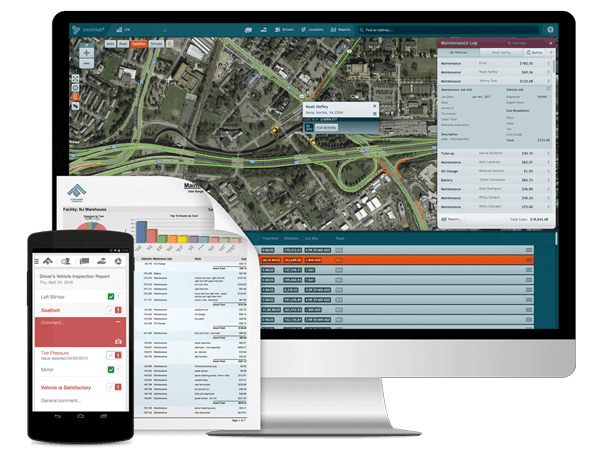
Con el tiempo, los datos de eDVIR revelan ciertos patrones. ¿Qué vehículos presentan tipos de fallas recurrentes? ¿Qué rutas se asocian con un mayor desgaste mecánico? ¿Qué conductores reportan sistemáticamente fallas que otros pasan por alto en el mismo equipo?
Estos datos sirven de base para los programas de mantenimiento preventivo, la capacitación de los conductores y las decisiones de adquisición de vehículos. El resultado es información operativa útil extraída de la documentación rutinaria de cumplimiento normativo.
Para la mayoría de las flotas, pasar de los informes de inspección de vehículos en papel a los electrónicos es sencillo, pero la transición resulta más fluida si se cuenta con un proceso claro.
No todas las soluciones de “informes electrónicos de inspección y reparación” son iguales. Antes de elegir una plataforma, compruebe lo siguiente:
Pregunta específicamente a los proveedores cómo gestiona su plataforma el flujo de trabajo de certificación de reparaciones. La resolución de defectos en un ciclo cerrado es el punto en el que muchas aplicaciones de bajo costo se quedan cortas.
Antes de la implementación, identifique con qué sistemas debe interactuar su plataforma eDVIR: su ELD, su software de gestión de flotas y su sistema de mantenimiento. La mayoría de las plataformas empresariales ofrecen integraciones mediante API o conectores preconfigurados. Cuanto más integrada esté su infraestructura, más valor podrá extraer de los datos.
La aceptación por parte de los conductores es el factor decisivo en cualquier implementación de un DVIR electrónico. Los conductores que comprenden que el DVIR es importante —ya que su responsabilidad personal está en juego si no se reporta un defecto y este provoca un accidente— tienden a tomárselo más en serio que aquellos que lo ven como un mero trámite más.
Centra la capacitación en el flujo de trabajo de la aplicación, no en la teoría del cumplimiento normativo. Muéstrales a los conductores cómo señalar un defecto con una foto. Muéstrales qué sucede cuando envían el informe, incluyendo a quién se le notifica y con qué rapidez se programa la reparación. Cuando los conductores ven que el sistema responde realmente a sus informes, confían más en él.
Antes de poner el sistema en funcionamiento, registre su tasa actual de cumplimentación de los informes DVIR, el número promedio de incidencias pendientes en cualquier momento y el tiempo promedio que se tarda en resolver una incidencia. Estas cifras le permitirán realizar una comparación entre la situación anterior y la posterior una vez que el sistema esté en funcionamiento, y son útiles para justificar el costo de la plataforma ante la dirección.
Algunas flotas realizan una transición radical; otras utilizan los sistemas en papel y electrónicos en paralelo durante un periodo de entre 30 y 60 días. Este periodo de transición permite a los conductores familiarizarse con el nuevo flujo de trabajo sin presiones, y le brinda la oportunidad de detectar cualquier deficiencia en el proceso electrónico antes de que el papel sea la única opción de respaldo.
Una vez que estés seguro de que el flujo de trabajo digital está completo, retira los formularios en papel. Conserva tus últimos registros en papel hasta que haya transcurrido el plazo de retención de tres meses; entonces, habrás completado la transición al formato digital.
En los primeros 90 días, realice una auditoría interna de sus registros eDVIR. Verifique los índices de cumplimiento por conductor. Revise la antigüedad de los defectos pendientes. Busque vehículos que presenten patrones de defectos recurrentes. Esta revisión no solo confirma su cumplimiento normativo, sino que también pone de manifiesto problemas operativos que podrían haberse pasado por alto en los registros impresos.
Los gestores de flotas que evalúen plataformas eDVIR deberían dar prioridad a estas funciones:
Exhaustividad del cumplimiento: ¿Cubre la plataforma todos los elementos de inspección necesarios para sus tipos de vehículos? ¿Permite realizar por separado las inspecciones del tractor y del remolque?
Funcionalidad sin conexión: Los conductores trabajan en zonas sin conexión a Internet fiable. La aplicación debe poder completar y guardar localmente un DVIR sin conexión, y luego sincronizarse cuando haya conexión disponible.
Captura de imágenes de defectos: La inclusión de fotos en los registros de defectos debería ser algo habitual, no un extra.
Integración del flujo de trabajo de reparaciones: ¿Cómo se convierte un defecto registrado en una orden de trabajo? ¿Es un proceso automático? ¿Manual? ¿Cómo es el proceso de certificación de los mecánicos?
Exportar auditoría: ¿Se puede generar rápidamente un informe completo, conforme a las normas de la FMCSA, de todos los DVIR de un vehículo, un conductor o un intervalo de fechas? ¿Se puede exportar a PDF para una inspección en carretera?
Integración con su dispositivo ELD y su plataforma de gestión de flotas: Existen aplicaciones eDVIR independientes, pero si ya utilizas una plataforma de registro electrónico de horas de conducción (ELD) o de rastreo por GPS, busca una integración nativa antes de añadir otro sistema a tu infraestructura.
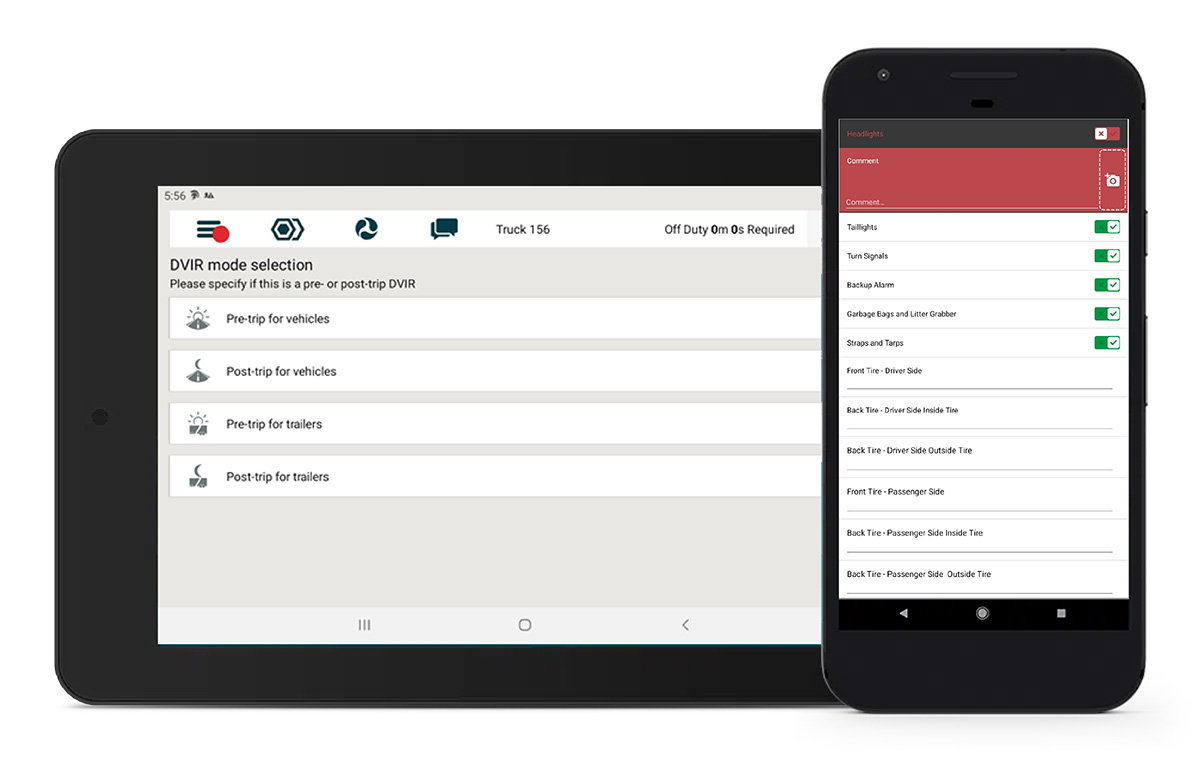
Forward Thinking Systems integró eDVIR directamente en el Aplicación móvil Field Warrior como parte de una plataforma más amplia de cumplimiento normativo y operaciones de flotas. El módulo DVIR funciona junto con Seguimiento GPS, Cumplimiento del ELDy despacho en la misma aplicación, para que los conductores no tengan que cambiar entre varias herramientas y los administradores de flotas dispongan de una vista única que reúna el estado de los vehículos, las horas de conducción y los datos de ubicación.
Los conductores realizan inspecciones guiadas desde su teléfono, adjuntan fotos de cualquier defecto y las envían con una firma digital. Los defectos quedan inmediatamente a la vista del departamento de despacho y de mantenimiento. El flujo de trabajo de certificación de reparaciones cierra el ciclo sin necesidad de papel. Además, todas las inspecciones completadas se almacenan, se pueden buscar y exportar para responder a auditorías.
En lugar de una aplicación de DVIR independiente que se añade a tu flota, el DVIR de Field Warrior se integra en el funcionamiento habitual de tu flota. Si estás evaluando opciones, vale la pena considerar Field Warrior junto con cualquier otra opción que tengas en tu lista de finalistas.
No. El DVIR electrónico está permitido, pero no es obligatorio. Los DVIR en papel siguen cumpliendo con la normativa siempre y cuando incluyan todos los elementos requeridos. Sin embargo, el DVIR electrónico ofrece importantes ventajas operativas y de cumplimiento normativo, razón por la cual la mayoría de las flotas de mayor tamaño han adoptado este sistema.
Sí. Un agente puede solicitar ver el último DVIR durante una inspección, y se acepta un registro electrónico que se muestre en un dispositivo compatible. El sistema también debe poder generar una versión imprimible si es necesario.
Esa es una infracción grave, tanto por parte del conductor como de la empresa transportista. Los DVIR (informes de defectos y reparaciones) existen precisamente para evitar esta situación. El registro del defecto y los movimientos posteriores del vehículo es todo lo que necesita un auditor para determinar la infracción.
Sí. Se requiere un DVIR independiente para cada unidad del vehículo; el tractor y el remolque se inspeccionan y documentan por separado. Las plataformas eDVIR que cumplen con la normativa admiten inspecciones de varias unidades dentro de la misma sesión de inspección.
La FMCSA exige un mínimo de 3 meses. Muchas flotas conservan los registros durante 12 meses o más para fines internos. Las plataformas eDVIR basadas en la nube suelen conservar los registros mientras dure la suscripción, por lo que esto no suele ser un problema.
Entradas recientes
Categorías
Mantente en contacto


¿Preparado para hacer más manejable la gestión de flotas?