





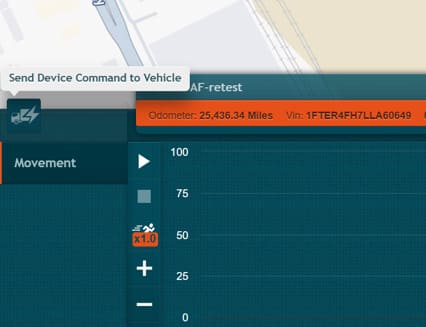
Send Device Command to Vehicle
Quoi de neuf
You can now send commands directly to a vehicle’s GPS tracking device from IntelliHub. This feature allows you to remotely trigger device actions — such as rebooting the device or requesting an immediate GPS location update — without leaving the portal.
Comment ça marche
- Open a vehicle’s Activité complète vue.
- Cliquez sur le bouton Envoyer une commande au véhicule icon to the left of the movement graph.
- Select a command from the list of available options.
- Confirm the action in the confirmation popup.
- A toast notification displays the command status as it progresses:
Sending
The system is transmitting the command to the device.
Sent – awaiting confirmation
The command was sent and the system is waiting for a response from the device.
Terminé
The device confirmed the command was received and executed.
Failed
The command could not be delivered or executed. Try again or contact customer support if the issue persists.
Exigences
- Available commands are pre-configured for your account. You can only send commands that have already been set up for the selected vehicle’s device type. To request additional commands, contact customer support.
- Vehicle Actions permission required. To send device commands, your IntelliHub user account must have the Vehicle Actions permission enabled. An admin can verify this under Settings > IntelliHub Users > select the user > User Permissions > Vehicles > Vehicle Actions.
Besoin d'aide ?
Soumettre un numéro
Créer un ticketQuestions générales
support@ftsgps.comAppelez-nous directement
1-866-221-1864