Skip to content

AI Dash Cams Built
to Protect Your Fleet

FleetCam pairs AI-powered fleet dash cams with real-time driver alerts and automated coaching. GPS tells you where a vehicle was; FleetCam shows you what actually happened.

  • Established 2005
  • 300k+ vehicles supported
  • 24/7 live support
  • SOC 2 Type 2 audited

Why fleets buy it

Fewer accidents. Faster claims. Coaching by exception.

FleetCam connects what happens on the road, what happens in the cab, and what happens after an incident.

1 · Safety

Stop the crash
before it happens.

Edge AI watches the road and the cab in real time, warning the driver with time to act and capturing every event. The cheapest accident is the one that never happens.

2 · Visibility

See everything.
Prove anything.

Live-stream multiple cameras on any vehicle, pull historical footage on demand, and get every event clip stamped with GPS, time, and speed. When a disputed claim lands, you're ready with evidence.

3 · Performance

Coach the drivers
who need it.

Automate driver coaching with in-cab alerts that correct behavior in the moment. Drivers self-coach by reviewing their own event videos, letting you manage by exception.

Swipe to browse · 01/03

Real events · Real fleets · Real footage

A Second Set of Eyes
for Your Drivers

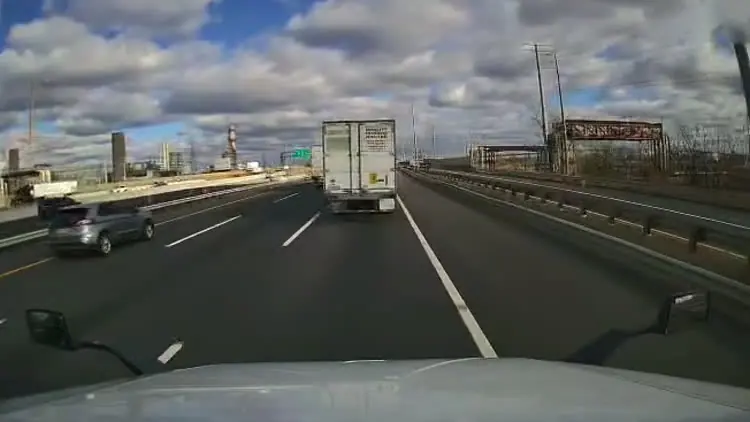
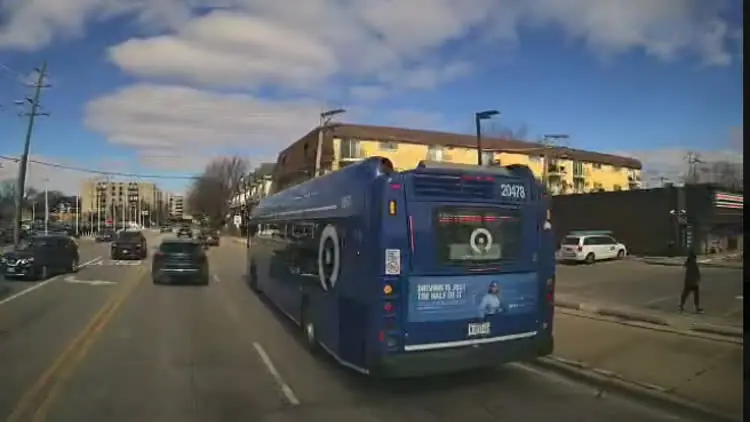
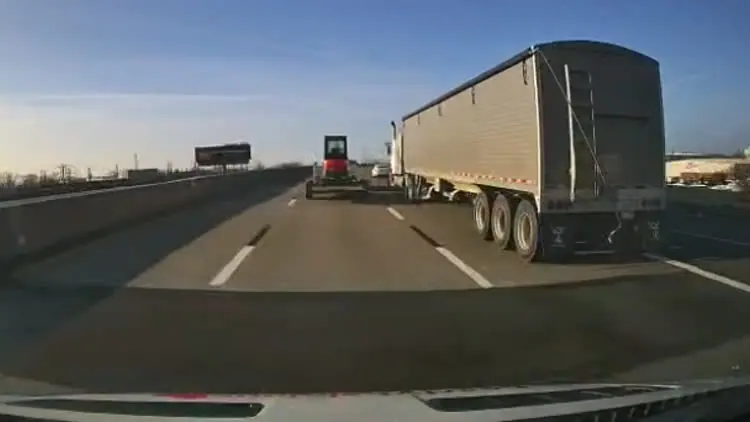
Real footage of real incidents from FleetCam fleet dash cams. The AI spotted the risk early and delivered an in-cab alert to the driver.

Live & Historic
Video

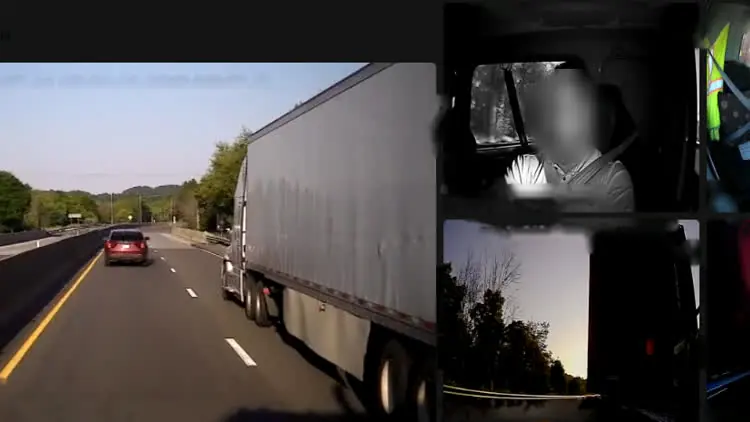
Stream crystal clear video from up to 6 channels per vehicle (6 channels with the FC Pro Hub add-on), for full visibility inside and out.

  • Watch any channel live, with speed, heading and GPS location
  • Access footage from a parked or powered-down vehicle
  • Monitor blind spots, cargo areas, and vehicle surroundings

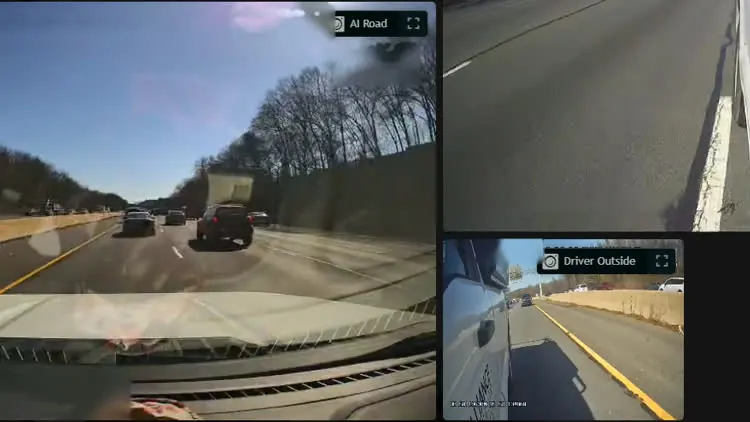
Video: FleetCam software playback of a following distance event. The road camera shows a pickup close ahead, next to interior and exterior camera views, speed, GPS position and a map. Faces are blurred.

Multi-cam · Every angle

Following Distance
Warning

The AI tracks the gap to the vehicle ahead and delivers an audible alert the instant you're too close, and there's still room to back off.

  • Gives drivers time to create a safer gap
  • Captures the context behind each event
  • Highlights repeat behavior for coaching

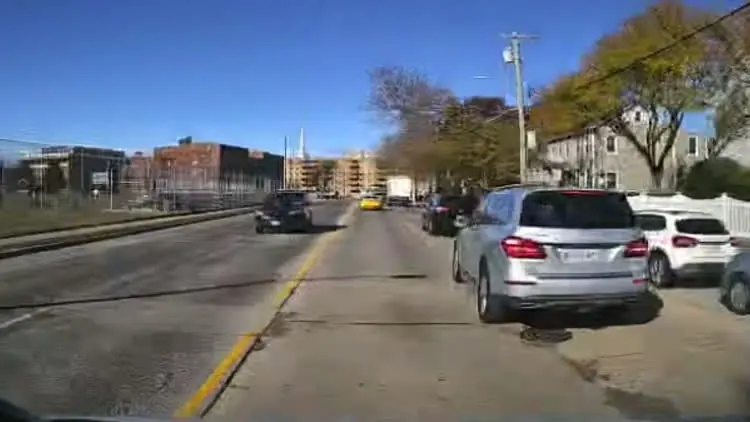
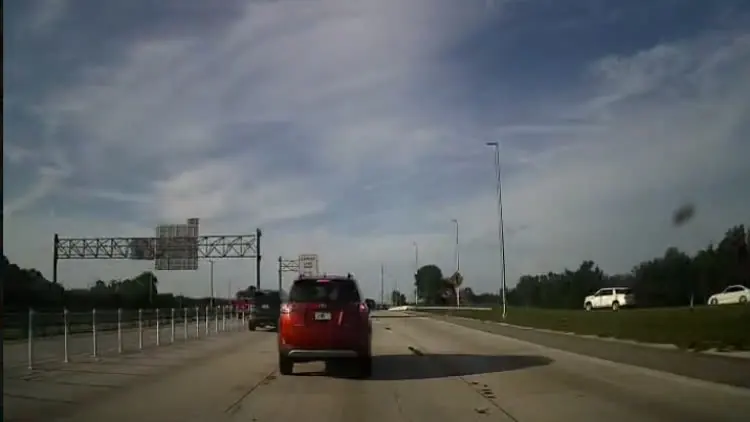
Video: Road camera on a sunny highway. The vehicle closes in on the car ahead, with date, time, speed and GPS position stamped on the footage.

Road cam · Following distance

Forward Collision
Warning

The AI reads closing speed, not just distance, and warns the driver with enough full stopping distance to avoid a collision.

  • Triggers on closing speed, not distance alone
  • Audible alert while there's still room to stop
  • Saves the clip with the vehicle data you need

Video: Road camera on a divided highway at 54 mph. Traffic ahead slows and the event is flagged while there is still room to brake.

Road cam · Forward collision

Lane Departure

With wired-in turn signals, the FleetCam distinguishes between unintentional lane drift and a signalled lane change.

  • Reads the painted lane lines from the road camera
  • Alerts drivers before the drift becomes a crossing
  • Identifies recurring lane-drift patterns for targeted coaching

Video: Road camera on a tree-lined street. The vehicle drifts toward the lane edge without signalling.

Road cam · Lane departure

Cell Phone Use

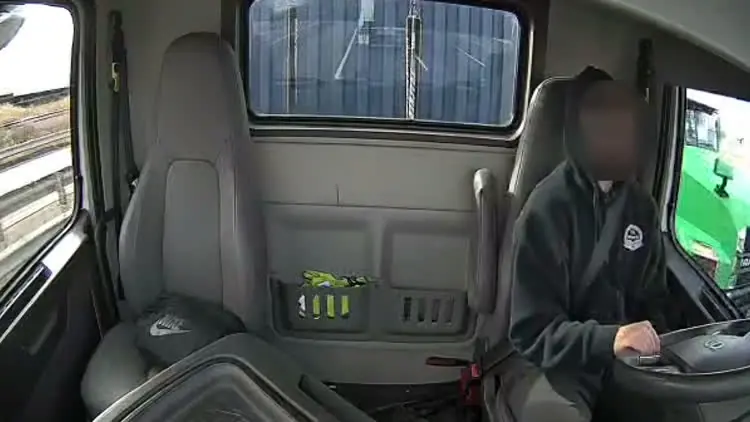
The driver-facing camera recognizes a phone in hand and gives an audio alert in the moment, before you even read the text.

  • Break the glance before an incident happens
  • Alerts help drivers turn a reflex into a decision
  • Capture the moment the phone was in play

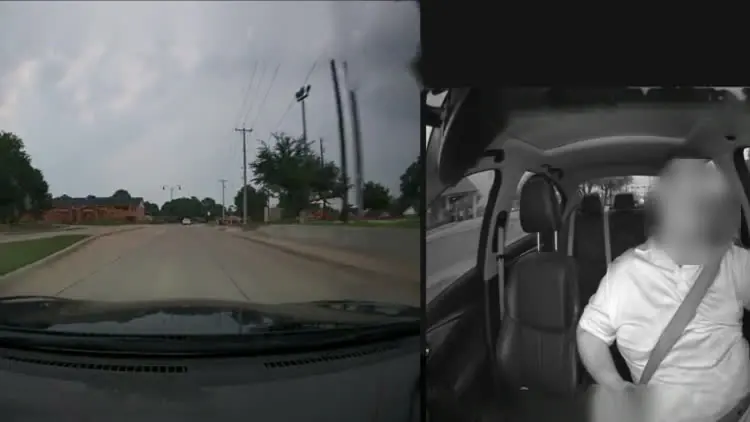
Video: Driver camera with the face blurred. The driver looks down at a phone in hand while driving at about 39 mph.

Driver cam · Cell phone use

Driver Fatigue

AI sensors monitor driver eye movement, facial expressions, and head position to detect fatigue and alert drivers that it's time to take a break.

  • Recognizes early signs of fatigue
  • Give drivers an immediate cue to stop and recover
  • See which shifts and routes produce tired drivers

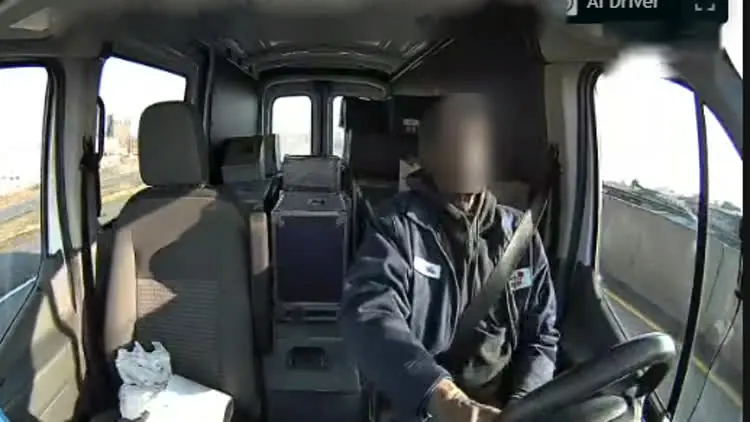
Video: Driver camera. The driver's eyes close and his head drops forward. The picture dims to show the moment the eyes close.

Driver cam · Falling asleep

Harsh Driving
Events

Measured by physics, not opinion, a six-axis accelerometer registers hard acceleration, braking, and cornering with the video showing exactly why.

  • Video shows whether the hard brake saved someone
  • Thresholds per fleet, so a loaded truck isn't scored like a sedan
  • Separates a rough driver from a rough route

Video: Road camera at a signalled intersection. The vehicle accelerates hard through the turn.

Road cam · Harsh acceleration

Rolling Stop
Sign

The road AI reads posted stop signs and delivers a driver alert at the intersection, making the full stop a reflex rather than an exception.

  • Drivers can self-correct before the intersection is behind them
  • Creates a video record of the event for review and coaching
  • Reveals repeat stop-sign behavior by driver over time

Video: Road camera approaching a stop sign on a quiet street at about 29 mph. The vehicle rolls through without a full stop.

Road cam · Rolling stop
20 mph over the posted limit.

High Speed

When a vehicle exceeds the posted speed limit, the driver gets an in-cab alert and the clip, speed, and GPS location provide context for additional training.

  • Alerts drivers before excessive speed becomes an accident
  • Set speed thresholds to match your fleet's requirements
  • See where, when, and how fast each event occurred

Video: FleetCam software playback of a high speed event. Road camera at sunset and driver camera side by side, with speed, GPS position and a map.

Road cam · High speed

Night Vision

Infrared keeps the picture clear at night, both in the cab and on the road. Capture events at speed, in the dark, and clear enough to see what actually happened.

  • Switches to infrared on its own, no setting to remember
  • Reads the driver's eyes through sunglasses
  • Capture the context needed to understand nighttime events

Video: FleetCam software playback at night. The infrared road and driver cameras stay clear in the dark during a harsh cornering event.

Night vision · Harsh cornering

Cargo Monitoring

Full at pickup, empty at delivery, both video clips timestamped and GPS tagged for the questions that leave your driver defending a delivery from memory.

  • Document cargo condition at pickup & delivery
  • Know the moment the doors open somewhere it shouldn't
  • Measure container loading rates and current capacity

Video: Cargo camera inside a box truck at pickup, loaded with furniture and boxes, with date, time and GPS position.

Full

Video: Live stream of the cargo area at delivery, now almost empty, next to the road camera and a satellite map.

Empty

No Seat Belt

Driver-facing camera detects an unbuckled belt and prompts the driver before the vehicle starts moving, stopping bad driving habits before they take root.

  • Audible prompt to correct the issue themselves
  • Build a documented record when the behavior continues
  • Escalate recurring violations before an accident happens

Video: Driver camera. The driver is driving with the seat belt unfastened.

Driver cam · No seat belt
01 / 12

Swipe to browse · 01/12

Turn your sound on

The camera speaks first.

Coaching builds better habits over time, but FleetCam speaks up in the cab the moment a risky behavior starts developing, helping drivers avoid the event right there.

Video clip: Audio alert · Too close.

Video clip: Audio alert · Lane departure.

On the device, not in the cloud

Most AI dash cams upload video to the cloud, process it, then notify someone minutes later. FleetCam's AI runs in the vehicle. The driver gets the alert immediately, and the clip is already on its way to IntelliHub.

Road AI (ADAS) 5 events
  • Following distance warning
  • Forward collision warning
  • Lane departure
  • Pedestrian warning
  • Rolling stop sign
Driver AI (DMS) 5 events
  • Driver fatigued
  • Driver distracted
  • Driver using cell phone
  • No seat belt
  • Driver smoking
Harsh events 3 events
  • Harsh accelerating
  • Harsh braking
  • Harsh cornering
Other events 3 events
  • SOS / PTO event
  • No driver detected
  • Camera covered

Event names as published in the FleetCam Pro and Essential spec sheets. Speeding events use posted-speed data alongside the video.

Straight off the SD cards

  • Video clip: Rear.

  • Video clip: FDW · Road.

  • Video clip: Lane departure.

  • Video clip: Cell phone.

  • Video clip: Harsh acceleration.

  • Video clip: Harsh braking.

  • Video clip: Near miss.

  • Video clip: Smoking.

  • Video clip: Night vision.

  • Video clip: Rolling stop.

  • Video clip: Collision warning.

  • Video clip: Timelapse · Whole shift.

  • Video clip: Timelapse · Cabin.

  • Video clip: Ambulance · Road view.

  • Video clip: Passenger cam · Interior.

  • Video clip: Distracted driving.

  • Video clip: Side cam · Driver.

  • Video clip: Side cam · Passenger.

  • Video clip: Rear cam · Following distance.

01/19

Where the video lands

Watch it live.
Review events. See the patterns.

Multiple cameras, every event, and all your data lands in IntelliHub® - one login, from the live stream to the coaching queue.

Video clip: Multiple FleetCam channels playing in sync inside IntelliHub historical review.

01 / 4

Every angle, live

Pick a vehicle and open every channel at once - road, cab, cargo, rear and sides. Speed, heading and address are stamped on the frame, so what you're watching is documented as you watch it.

02 / 4

360° view around your vehicle

Four cameras stitched into a single bird's-eye view, covering what a mirror can't - behind the trailer, down the blind side. The driver sees the same view on the in-cab LCD.

03 / 4

Parked and powered off

The truck has been sitting since Friday and you need Thursday's footage. Remote wake pulls it without waiting for the engine to start, or for someone to drive out to the yard.

Video clip: Road time-lapse of the same vehicle.

Road

Video clip: Interior time-lapse of the same vehicle.

Interior

04 / 4

A route in minutes

Time-lapse compresses a full day of driving into a scan you can finish before your next meeting, with the breadcrumb trail carrying snapshots along the route.

01 / 3

Driver events in one list

Everything the AI captured in one view, filtered and sorted by event, driver, or date range to give you the details you actually need.

02 / 3

Critical event details

Road and cab side by side, plus auxiliary cameras, all with the driver, speed and GPS location included. Nothing to assemble and no cross-referencing.

  • Date
  • Speed
  • Direction
  • Address

03 / 3

Three weeks later

Claims rarely arrive the same week. Recording is continuous and local, so historic footage from a month ago is available when you really need it.

01 / 3

Where each driver stands

Scores built from measured events, not impressions. Drivers see the same numbers their manager sees, which keeps the conversation about the data rather than about the manager.

02 / 3

Where the fleet is trending

Monitor event rates by driver or across the fleet over time. This is the view that answers the question you'll get at renewal: has any of this actually changed anything?

03 / 3

Who needs active coaching

Which drivers need attention, which behaviors are driving it, and how many events this month. The dashboard surfaces only what needs a decision.

Start with an AI dash cam

Build the Camera System
That Fits Your Fleet

FleetCam is a fleet camera system that starts at road and driver and scales to full vehicle coverage, up to 6 channels on FleetCam Pro with the Pro Hub.

FleetCam Pro

The full build.
Road and cab built in, up to six channels with the Pro Hub.

HD video inside and out, with AI detection for tailgating, lane departure, distraction, and fatigue.

4 native 6 with Hub

Channels

Road and driver built in, plus two aux inputs, or get six full channels with the FleetCam Pro Hub. Connect via OBD-II or JBUS for access to vehicle ECU data and diagnostic codes.

ADAS DMS

Detection

Full AI detection of ADAS, DMS, and Harsh Events, with in-cab audio-visual alerts.

Live Historic

Footage

Livestream or pull historic footage on demand. Review event clips and breadcrumb snapshots on every channel.

FleetCam® Pro

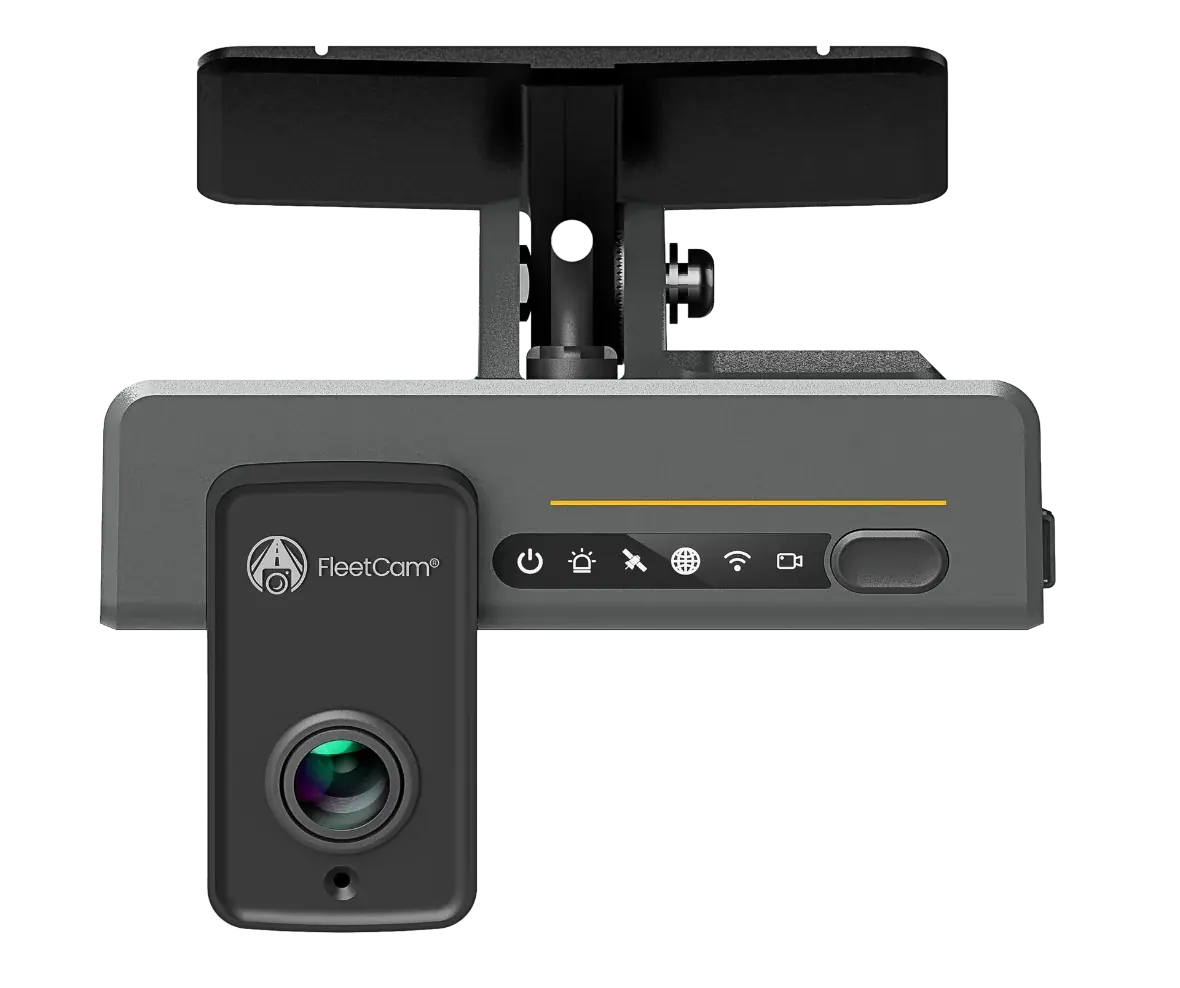
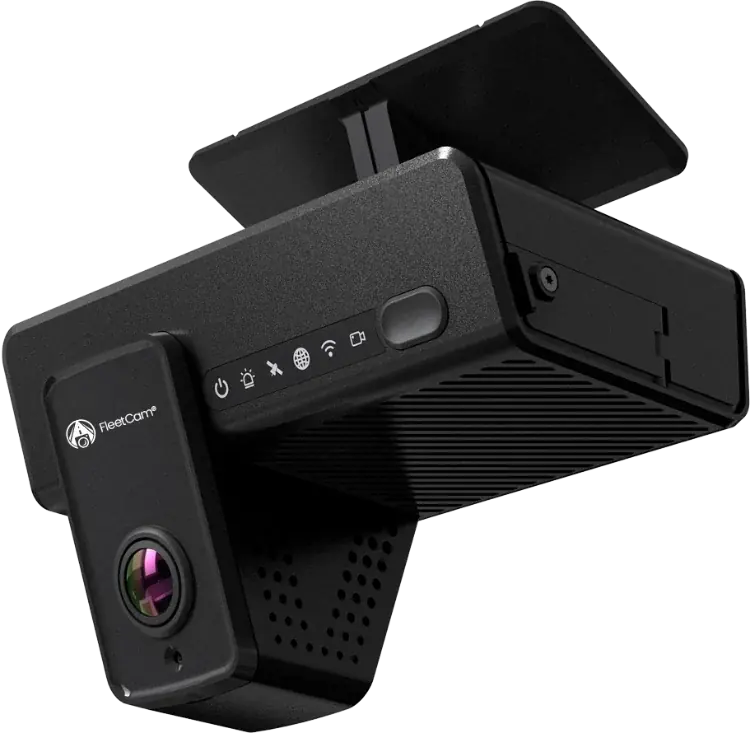
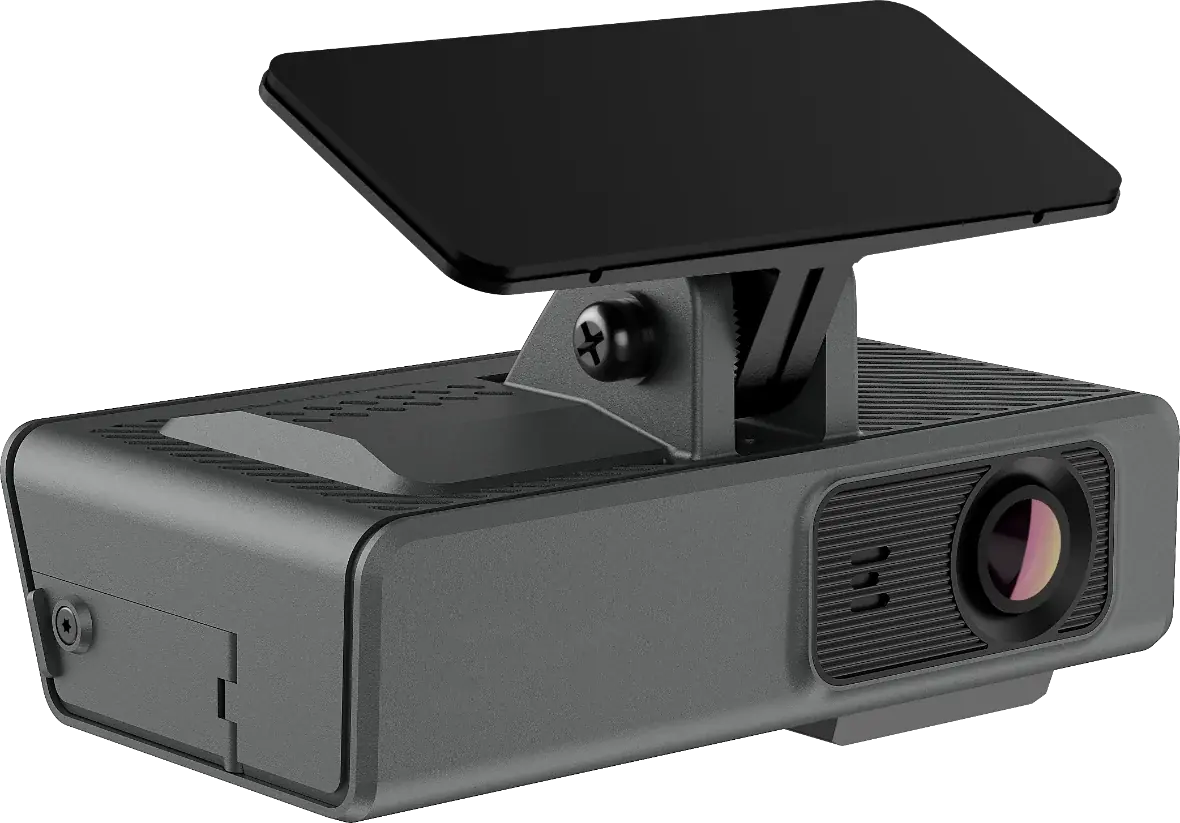
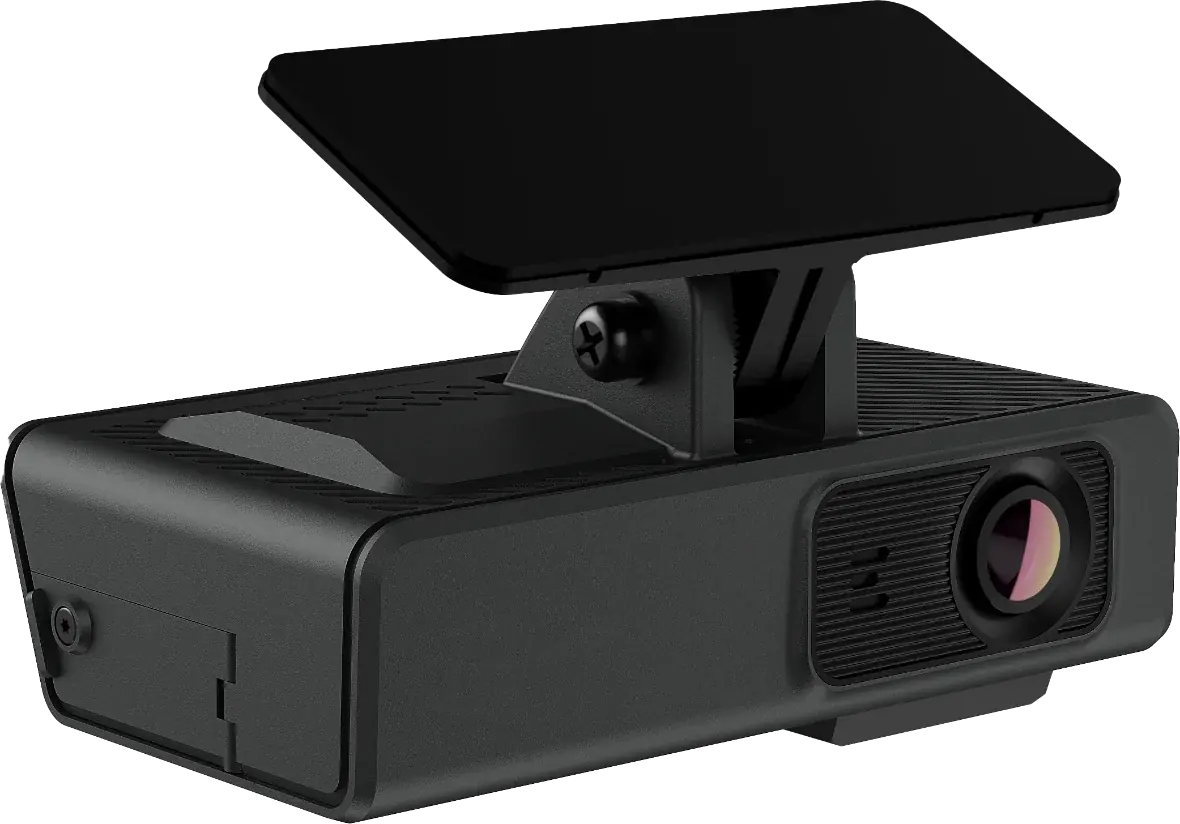
FleetCam Pro camera

Dual-facing AI camera
with four native channels.

Talk to our team about FleetCam Pro

FleetCam Essential

The same AI.
A leaner build.

The fastest way to get video on every vehicle you run. Dual-facing, HD video with AI in a two-channel build.

2 channels Dual-facing

Channels

Road and driver in one housing. No aux inputs, no installer time on side cams.

ADAS DMS

Detection

The same ADAS, DMS and harsh event detection as Pro, with in-cab audio alerts.

Clips Snapshots

Footage

Livestream and historic footage on both channels. Events arrive tagged, timestamped and GPS-synced, exactly as they are on Pro.

FleetCam® Essential

FleetCam Essential camera

Dual-facing AI camera,
two channels, fast install.

Talk to our team about FleetCam Essential

FleetCam Pro Road Only

Outside only.
Nothing pointed at the driver.

Full road-facing coverage and AI, plus aux inputs for the same room to expand.

3 channels Aux ready

Channels

Road-facing plus two aux inputs for rear, side or cargo coverage - five channels with the Pro Hub.

ADAS only

Detection

Full ADAS and harsh event detection, with in-cab audio-visual alerts. No driver-facing events without a lens in the cab.

Live Historic

Footage

Livestream and historic pull on every channel, exactly as on a Pro - minus the interior view.

FleetCam® Pro
Road Only

FleetCam Pro Road Only camera

Road-facing build with
two aux channels.

Talk to our team about FleetCam Pro Road Only

FleetCam Essential Road Only

One camera.
One job.

The simplest way onto the platform. A road-facing camera with the same AI and the same IntelliHub as every other build.

1 channel

Channels

A single road-facing channel. One aux input for a second angle when you need it.

ADAS only

Detection

Full ADAS and harsh event detection, with in-cab audio alerts. No driver-facing events without a lens in the cab.

Clips GPS

Footage

Livestream and historic pull, with clips and telemetry landing in IntelliHub® alongside the rest of the fleet.

FleetCam® Essential
Road Only

FleetCam Essential Road Only camera

Single road-facing channel,
the simplest install.

Talk to our team about FleetCam Essential Road Only

Add-on angles

Up to six angles on one vehicle.

Every install starts with road and driver. The rest go on the same FleetCam Pro as your coverage needs grow, without replacing what is already on the vehicle.

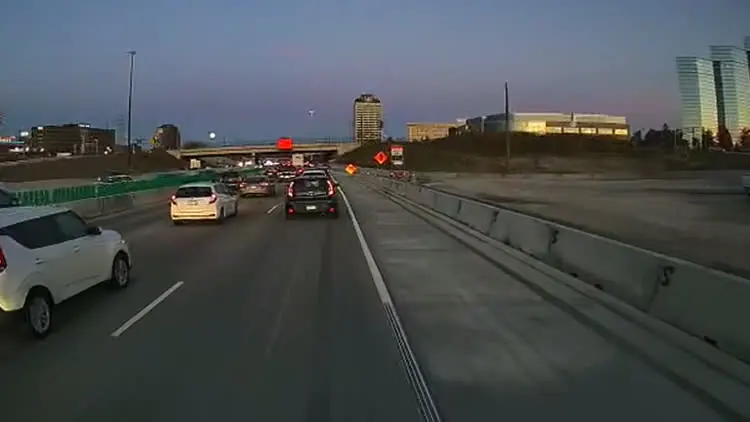
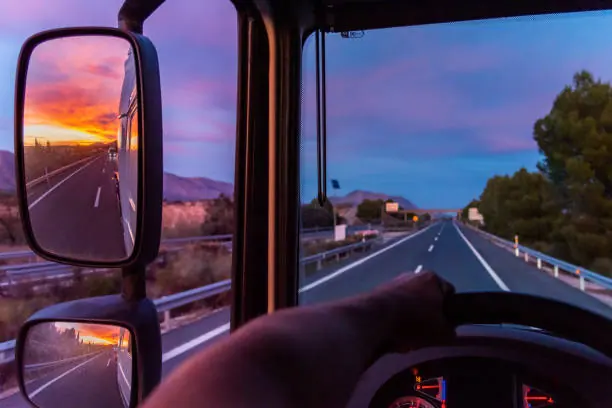
  • Driver's seat view down the highway at dusk
    Standard

    Front · Road

    The forward view, on every install. Whatever happens ahead of the vehicle, this is the camera that answers for it.

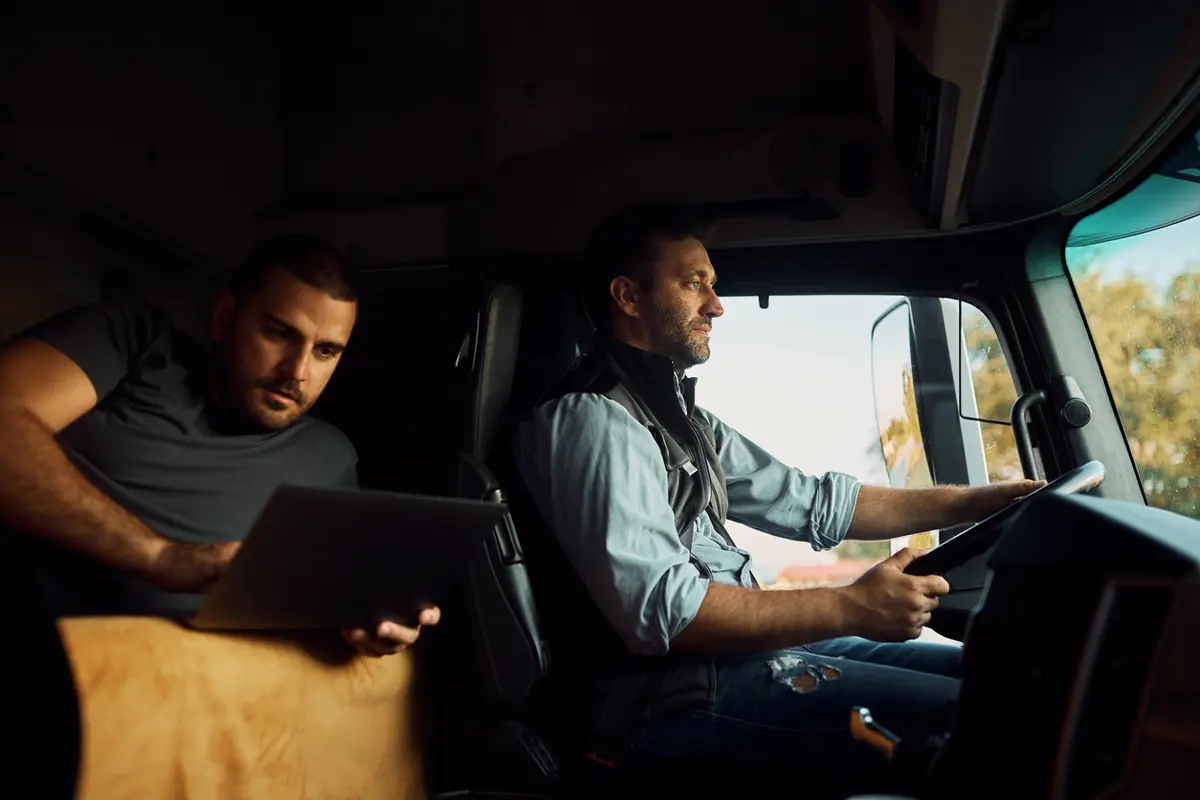
  • Driver at the wheel with a second crew member in the cab
    Standard

    Cab · Driver

    The driver-facing camera, with infrared that reads the cab in full darkness. Road Only builds ship without it.

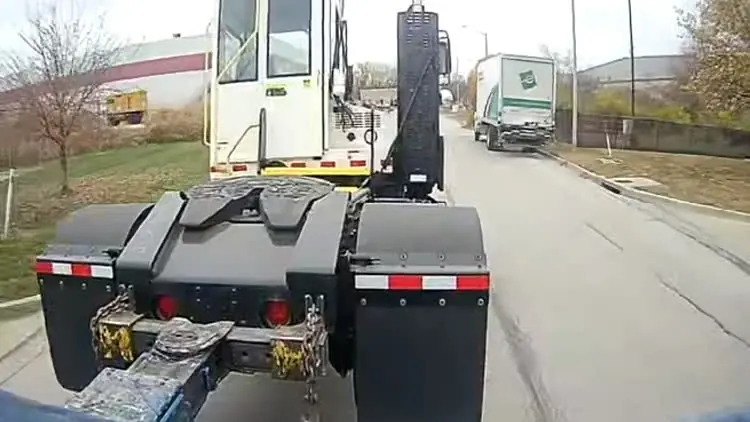
  • Low-loader trailer hauling tractors, seen from the side
    Aux

    Sides · Left/Right

    Cover the sides of the vehicle where forward-facing cameras can't see merges, lane changes, or sideswipes.

  • Forklift loading pallets into the open rear doors of a trailer
    Aux

    Rear · Backing

    Behind the vehicle for backing and docking, the maneuvers that produce most low-speed damage.

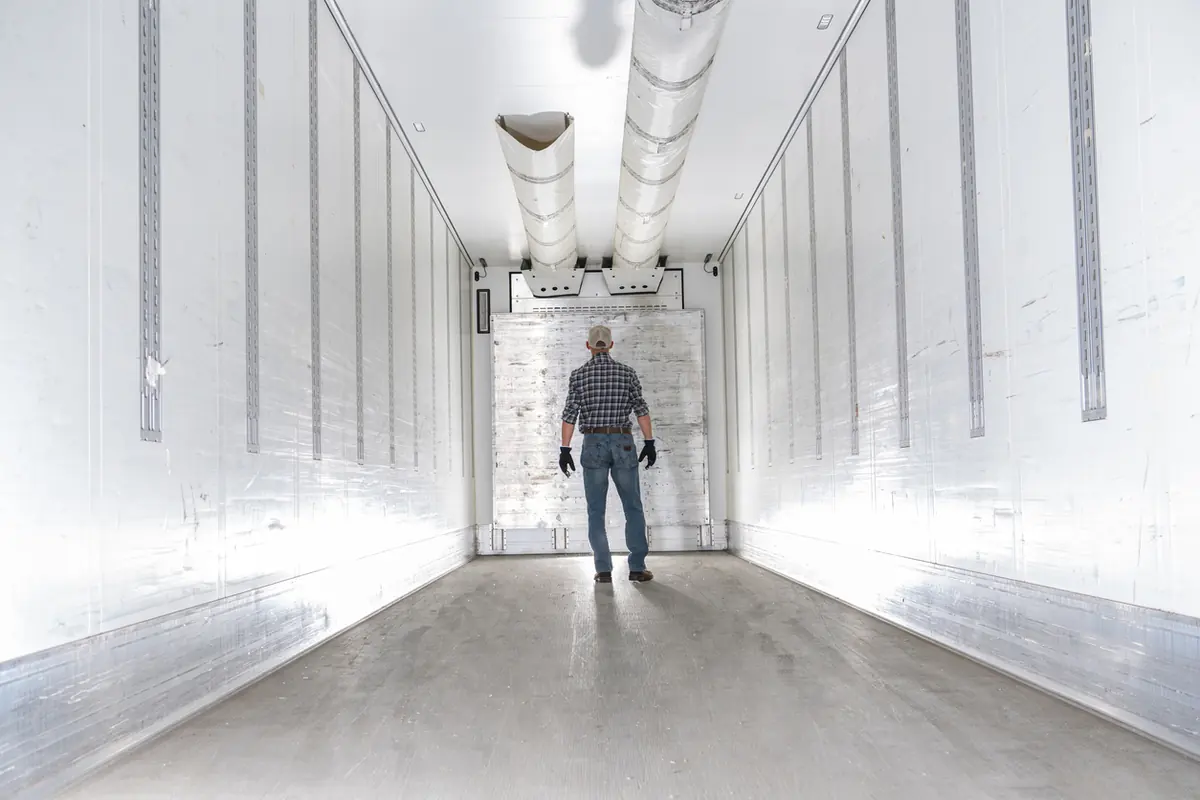
  • Worker inside an empty trailer at the loading dock
    Aux

    Interior

    Inside the box or the cabin to monitor cargo, passengers, or patients.

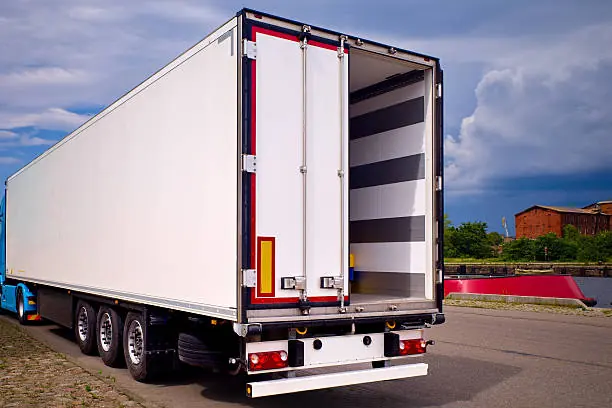
  • Trailer parked with its cargo doors open
    Aux

    Door

    A camera on the doors, with AI that flags underloaded trips, loading rates, and a door opening when it shouldn't.

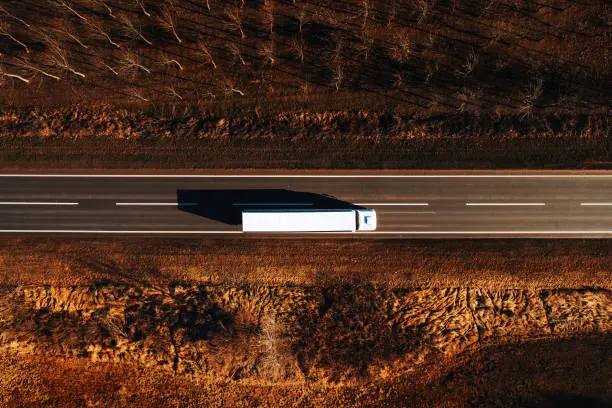
  • Overhead drone view of a truck on the highway
    System

    360° · Bird's-Eye

    Four cameras stitched into one overhead view on the in-cab LCD, with pedestrian detection in the danger zone.

  • Dropped trailer standing at a loading dock with no tractor
    System

    Trailer · Self-powered

    4K inside the box, running on solar and battery, so a dropped trailer stays covered with no vehicle power.

Swipe to browse · 01/08

The four dash-cam builds, side by side

The four dash-cam builds,
spec for spec.

Every FleetCam records continuously and reports into IntelliHub®. These are the specs that actually change the decision - everything else is the same platform.

FleetCam models compared: channels, field of view, AI events, GPS and external cameras
FleetCam Pro
FleetCam® FleetCam Pro Most coverage, widest road view, full AI-event detection. Get pricing for FleetCam Pro
FleetCam Essential
FleetCam® FleetCam Essential Full AI event list, two channels. Fastest to deploy. Get pricing for FleetCam Essential
FleetCam Pro Road Only
FleetCam® PRO FleetCam Pro Road Only PRO's road AI and aux channels, no lens on the driver. Get pricing for FleetCam Pro Road Only
FleetCam Essential Road Only
FleetCam® ESSENTIAL FleetCam Essential Road Only One forward camera plus GPS. Get pricing for FleetCam Essential Road Only
Channels 4 (6 w/ Hub) 2 3 (5 w/ Hub) 1 (+1 aux)
Road field of view 140° 106° 140° 106°
Driver camera 170° 170° Not available Not available
Resolution 1080P 1080P 1080P 1080P
AI driver events (DMS) Yes Yes Not available Not available
Road AI (ADAS) Yes Yes Yes Yes
6-axis accelerometer Yes Yes Yes Yes
GPS GNSS + dead-reckoning High-precision GNSS GNSS + dead-reckoning High-precision GNSS
External cameras Up to 4 + LCD None Up to 4 + LCD 1

FleetCam comes in two builds, Pro and Essential, and each is also offered as a Road Only version. 6-channel capability requires the FC Pro Hub add-on module. Every model records continuously, reports into IntelliHub®.

DriveShield® app · driver self-coaching

From alert to coaching

How DriveShield closes the loop.

Every trigger ties to a specific, engineering-grade threshold - a deceleration rate, a number of seconds of eyes off the road - not a black box guessing.

  1. In-cab alert

    The driver gets a real-time notification the moment a triggering event happens.

  2. Self-coaching

    The driver reviews the clip in DriveShield and either owns it or explains it.

  3. Training, if needed

    A short, structured course for a pattern that needs more than a one-off conversation.

  4. Supervisor conversation

    Reserved for the handful of cases that actually need a manager’s time, not the whole fleet’s.

Thanks to FleetCam®

  • Improve driver reliability

    Risky habits drop when drivers know the camera is watching with them, not at them.

  • Increase driver satisfaction

    Reward the safe ones with data, and spot the tired ones who belong on a different shift.

  • Improve driver safety

    Feedback that stops dangerous behavior as it happens conditions caution over time.

  • Reduce liability

    HD recordings from every angle protect drivers from false claims - and you from the verdict.

Addressing the elephant

“Dash cams feel like Big Brother to my drivers.”

FleetCam and DriveShield are built to coach drivers, not punish them. Every driver sees the same video and score their manager sees, and can dispute an event directly - most fleets find drivers appreciate a system that protects them from false accusations rather than resent it.

If driver-facing video is a bridge too far for your team right now, FleetCam offers Road Only camera configurations and a device privacy mode - so you can start where your drivers are comfortable and expand coverage later.

  • Road Only configurations
  • Device privacy mode
  • Drivers can dispute any event

From kickoff to live

Live in weeks. Round-the-clock support.

Fleet managers dread the disruption of a camera rollout. FleetCam plugs in, confirms coverage is live, and puts a real person on the line at any hour.

  • 2 to 4 wks

    Kickoff to fully live

    Typical rollout window across FTS deployments, including hardware, harnesses and IntelliHub setup.

    Internal FTS deployment data

  • Quick Flexible Installation

    Plug & play or hardwired

    OBD-II and JBUS harnesses for fast installs. Hardwire, CAN and RS232 options when the vehicle or the aux cameras call for it.

    Pro, Essential and Road Only

  • Uptime
    Verification

    Camera health monitoring

    Every camera and connection reports its status, so you know your coverage is live without checking a single vehicle.

    Device status in IntelliHub®

  • 24/7

    Live support

    A person answers around the clock. Privacy Mode is one long press on the device for drivers on break.

    ftsgps.com

What customers actually say

Safer companies run on FleetCam.

Named fleets

Named fleets. Real deployments.

From 200 service trucks to 600 semis, on the same platform.

  • VECA Electric

    Utilities & environmental services · 200+ service trucks

    Runs FleetCam Essential for remote video access, historical footage retrieval, and integrated connectivity with their existing telematics platform.

  • Metropolitan EMS

    Emergency response · 80 vehicles · 300 drivers · Arkansas

    Needed one scalable system after their previous camera vendor’s hardware had excessive failure rates. Now runs FleetCam Pro with IntelliHub and DriveShield.

  • Alside

    Transportation & logistics · 600+ semis and box trucks

    Runs FleetCam alongside Field Warrior for fleet oversight and field-force automation.

  • America West Medical

    Paratransit · 300+ vehicles

    Runs FleetCam Pro with IntelliHub for its healthcare transport fleet.

On the record

Named people, on the record.

From fleet managers who run on FTS every day.

One platform, every angle

Video never lives in its own silo.

FleetCam is one of five FTS products on a single platform. One login. One record. One number to call.

Questions fleets ask before they buy

Straight answers.

The questions we hear first. If yours is not here, a fleet specialist is one call away: 1-866-221-1864.

What makes FleetCam different from other fleet dash cameras?

FleetCam’s AI runs on the device, in the vehicle, not in the cloud. The moment a driver is distracted or drowsy, they hear an audio alert right away, while there is still time to correct it.

What does FleetCam’s AI actually detect?

FleetCam detects distracted driving, driver fatigue/drowsiness, cell phone use, seatbelt violations, smoking, harsh braking, harsh acceleration, harsh cornering, lane departure, tailgating, forward collision risk, pedestrian detection, and stop-sign detection. Both road-facing and driver-facing cameras work together to build a complete safety picture, and FTS keeps adding new AI detections over time.

Does FleetCam support multiple cameras per vehicle?

Yes. FleetCam Pro supports up to 6 channels per vehicle (6-channel capability requires the FC Pro Hub add-on module) - road-facing, driver-facing, side, and 360° configurations depending on your setup. All camera feeds are available for live streaming and video review through IntelliHub, without physically accessing the vehicle.

How is video stored and for how long?

FleetCam stores video on the device itself. Event clips upload automatically when a safety event, AI detection, or trigger occurs. Other footage stays on the camera and can be requested through the portal as long as it is still retained on the device. Storage is not plan-based - it depends on the camera’s onboard storage configuration and how the unit is set up.

Will drivers feel like they’re being spied on? How do we handle driver privacy concerns?

Driver privacy is a common and legitimate concern. FleetCam is designed to coach, not punish. FTS also offers a privacy module that lets drivers shut off the driver-facing camera while on break, and there are configurations that can detect DMS events like drowsiness and distraction without recording driver-facing video. Drivers can review their own event clips and dispute ones they believe are unfair. If privacy is a concern, ask us about our privacy settings.

How hard is FleetCam to install? Can my own team do it?

FleetCam is designed to be quick and simple to install. Many fleets handle installation with their own team, and FTS can also coordinate professional installation if you prefer. In most vehicles, once the camera is mounted and powered, you’re up and running fast without turning deployment into a major project.

Can FleetCam help us fight false insurance claims?

That’s one of the most common ROI drivers we hear about. When a third party claims your driver hit them, FleetCam video from the road-facing and side cameras shows what actually happened, which can shorten disputes that would otherwise drag on for months.

Does FleetCam work with the IntelliHub platform?

Yes - FleetCam is fully integrated with IntelliHub. Video events appear directly in the same dashboard you use for GPS tracking, dispatch, and reports. No switching between systems. When a harsh event triggers, you see it on the map with the video clip attached.

See what actually happened.
Every time.

A fleet specialist will walk you through the footage, the hardware, and what it costs. No spam - a real person reaches out.

Prefer to talk? 1-866-221-1864 or sales@ftsgps.com. Government and public sector fleets can buy through Sourcewell contract 102924-FWD.