





Dismissal Reasons Required for Driver Behavior Events
What’s New
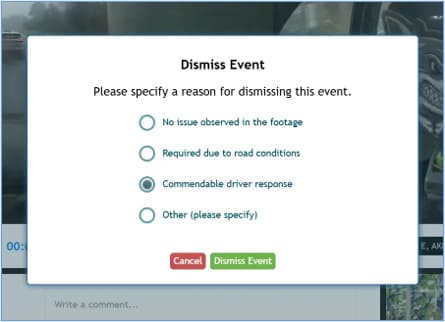
When you dismiss a driver behavior event, you must now provide a reason for the dismissal. This helps maintain accurate records and ensures all dismissals are properly documented.
How It Works
- Open the event detail screen to view the video footage.
- Click the status dropdown and select Dismissed.
- In the popup dialog, select a dismissal reason:
- No issue observed in the footage
- Required due to road conditions
- Commendable driver response
- Other (please specify)
- If you select Other, enter your reason in the text field.
- Click Save.
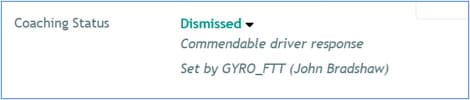
The event status immediately updates to Dismissed, and your selected reason appears below the status.
Need more help?