





How to Hitch or Create a Trailer
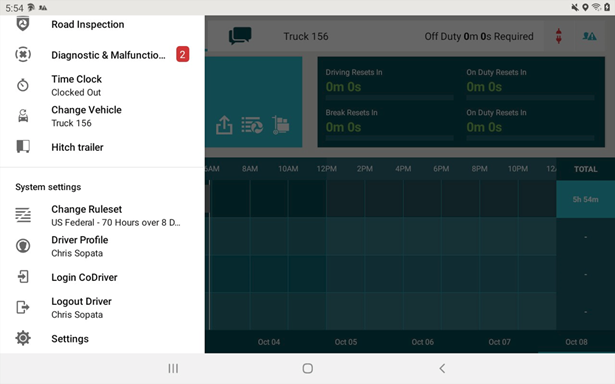
- From the home page, open the menu icon and select hitch trailer. You will now be presented with two options:
- Choose a trailer form the list.
- Create a new trailer.
- Select the option you require.
- If you have selected to create a new trailer, then please name it as required
- Select OK.
Need more help?